
Many people expect their print projects to look exactly like what they see on a screen. The truth is that small errors in setup can cause major problems once the job reaches production. Files that arrive with wrong colours, missing bleeds, or low resolution can slow down the process and affect the final result. Knowing the most common errors will help you avoid them in your next project. Follow along below to learn more about what to look out for the next time you send a file to a print shop!
Common Problems Printers Kelowna BC See Every Day
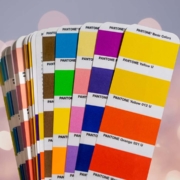
One of the most frequent mistakes is sending files in RGB instead of CMYK. Screens use light, while printers use ink. RGB colours appear bright on a device but shift once converted. Printers Kelowna BC teams often adjust files before production, but starting in CMYK gives better control. Customers should check colour settings before exporting their work.
Another issue is low resolution. Images saved at 72 DPI may look sharp on a computer, but print shops need 300 DPI for clear output. Low resolution leads to blurry photos and soft edges. It also limits how large an image can appear without losing clarity. Proper resolution should be checked early in the design stage.
Missing bleeds also create problems. A bleed allows artwork to extend past the trim edge. Without it, thin white lines appear around the final print. A standard bleed is small but essential for clean trimming. Printers see this mistake with brochures, posters, and business cards.
Incorrect sizing is another concern. Files sometimes arrive in the wrong dimensions or with pages set in random orientations. This slows production as the shop must correct the layout. Accurate page setup helps avoid delays.
Font issues also cause errors. When fonts are not embedded or outlined, computers may replace them with defaults. This changes the design. Keeping fonts packaged with the file prevents unwanted substitutions.
Contact Printers Kelowna BC!
Good print work depends on careful planning. Printers Kelowna BC professionals help clients avoid common errors by reviewing files and offering guidance. Simple steps like checking colour mode, resolution, and bleeds create better outcomes. Contact us today for help with your next project!
FAQ
Why do my printed colours look different from my screen?
Screens use RGB, while printers use CMYK. This causes colour shifts if the file is not set up correctly.
How do I avoid blurry prints?
Use images at 300 DPI. Lower resolution will look soft or pixelated once printed.
What is a bleed, and why does it matter?
A bleed lets artwork extend past the trim edge. It prevents white borders from appearing after cutting.